9 Best Sales Proposal Software Tools in 2026
A practical perspective for connecting this idea to your revenue team’s next move.
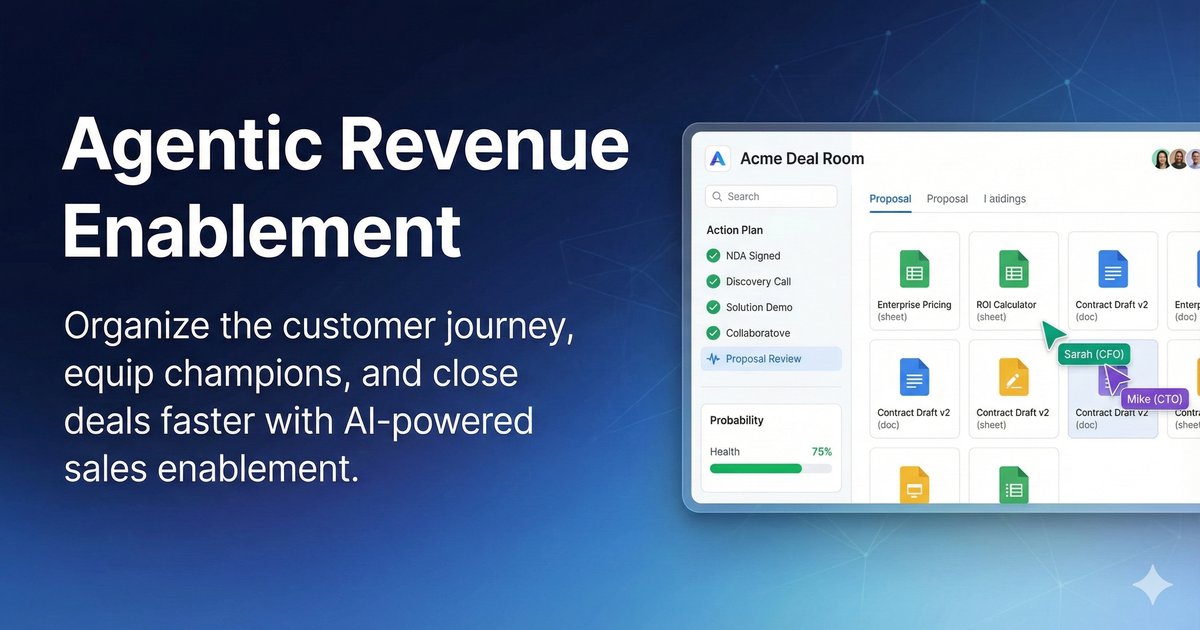
Sales proposal software lets B2B sellers build branded proposals from approved templates, add interactive pricing, collect e-signatures and see when buyers open each section. The best sales proposal software in 2026 includes Better Proposals, GetAccept, PandaDoc, Proposify and Qwilr for proposal building, Loopio and Responsive for RFP responses, and DealHub and Revspire for proposals generated from CPQ quotes.
Each tool is described from its own product and pricing pages, with one limitation and when to choose it.
Last updated: 20 October 2026
Disclosure: Revspire publishes this list and is one of the tools on it. Tools are grouped by type, with each vendor’s own published information checked on 20 October 2026. Within each group they are listed alphabetically; the order is not a ranking.
What is sales proposal software?
Sales proposal software turns a qualified opportunity into a document the buyer can read, price, approve and sign. It replaces Word files and PDF attachments with templates, locked content blocks and links that report how the buyer engages. The label covers three kinds of tool:
- Proposal builders (also sold as proposal automation software): the seller starts from a template, adds a pricing table, sends a link and collects a signature.
- RFP response software (what proposal teams usually mean by “proposal management software”): the buyer sends an RFP or security questionnaire, and the tool drafts answers from a reviewed library and routes questions to experts.
- Quote-to-proposal in CPQ and deal rooms: the proposal is generated from a configured, approved quote and shared in a deal room with the rest of the deal material.
The proposal is often read with no seller present. In a Gartner survey published on 9 March 2026, 67% of 646 B2B buyers (surveyed August to September 2025) said they prefer a rep-free experience. Revspire’s digital sales room benchmark (aggregated customer data from about 40 B2B companies, October 2025 to September 2026) found that in the 14 days before a won deal closed, 80% of buyer views in the room went to the proposal and the implementation plan; a later cut covering the 12 months to October 2026 found a median of 95 seconds spent on a shared proposal or deck. The benchmark presents these as patterns, not proof that a tool causes a win. The practical reading: put the price, scope and next step on the first screen.
How to choose sales proposal software
- Who starts the document: sellers (proposal builder) or buyers’ RFPs and questionnaires (RFP response software).
- Pricing complexity: line items fit a pricing table; bundles, tiers, usage pricing and discount approvals point to CPQ.
- Content control: can legal and marketing lock approved sections so reps edit only what they should?
- Approvals before send: routing by discount or deal size, and on which plan.
- CRM on the plan you would buy: some vendors reserve Salesforce for their top tier or sell it as an add-on.
- Buyer experience: web link or PDF, per-stakeholder view data, signature and payment in one place.
- Commercial terms: per seat, platform fee or per module; user minimums, send caps, annual-only billing.
Sales proposal software compared
Tool
Type
Best for
Key capabilities
Pricing (as published)
One limitation
Better Proposals
Proposal builder
Small teams, simple pricing
Web-link proposals, pricing tables, signatures, payments, section read tracking
From $13 per user per month, paid annually
Send caps on lower plans
GetAccept
Proposal builder
Proposals with video and a sales room
Pricing tables, approver routing, stakeholder tracking, video, AdES/QES signatures
Professional $49 per user per month, five-user minimum
Professional product library holds three products
PandaDoc
Proposal builder
Proposals, quotes and contracts in one tool
Locked content, interactive pricing tables, e-signature, analytics, approvals
Free plan; $19 and $49 per seat per month, billed annually
CPQ on Enterprise, needs credits or an add-on
Proposify
Proposal builder
Approval rules and section-level data
Content library, interactive quoting, approvals by deal or discount size
Build $35 per user per month annually; team bundles
Salesforce is a premium integration or paid add-on
Qwilr
Proposal builder
Web-page proposals buyers can price, sign and pay
Interactive quotes, payments, analytics, AI proposal creator
From $35 per user per month, billed annually
Salesforce on Scale only
Loopio
RFP response
Proposal teams answering RFPs
Answer library, AI drafting, question import, expert assignment
Custom quote; no prices
Integrations sold as add-ons
Responsive
RFP response
Many teams, many questionnaires
Centralised content, AI agents, intake requests, trust center
Emerging Edition from $10,000; others via sales
eSignature and intake requests from Growth
DealHub
CPQ and deal room
Proposals from governed quotes and subscriptions
Pricebooks, approvals, DealRoom proposals, mutual action plans, e-signature
Growth and Scale; no prices
CPQ go-live typically within three months
Revspire
CPQ and deal room
Proposals from approved pricing, shared with a mutual action plan
Guided configuration, price books, approval routing, proposal generation, deal rooms
Per module, unlimited users; quoted by sales
Not a standalone proposal builder
As described on each vendor’s own site, checked 20 October 2026. Sources are linked in each entry.
Proposal builders
These tools are for proposals the seller starts. They publish their prices, roll out quickly and suit teams whose pricing fits a table.
Better Proposals
Better Proposals replaces Word and PDF attachments with proposals the client opens through a web link, for freelancers, small businesses and big brands (Better Proposals).
- Standout capabilities: more than 260 free templates and Word import; built-in signatures; payment after signing; alerts showing which sections a client read, in what order and for how long. Pricing tables and a content library are in every plan.
- Pricing: Starter $13 (one user, 10 sends a month), Premium $21 (50 sends) and Enterprise $42 (unlimited sends) per user per month paid annually; $19, $29 and $49 paid monthly. 14-day trial (pricing, checked 20 October 2026).
- Limitation: CRM integrations start at Premium, manager approvals are Enterprise-only, and the integrations page names no specific CRM.
- Choose it if: a small team sends many similar proposals and wants low published prices.
GetAccept
GetAccept describes itself as AI-powered digital sales room and proposal software, with e-signatures, mutual action plans, contract management and CPQ (GetAccept).
- Standout capabilities: templates or uploaded Word and PDF files; pricing tables that pull prices from a product library; routing to approvers; per-stakeholder opens, unique views and time per page; video introductions; CRM data auto-populated into templates, with integrations for Salesforce, HubSpot, Pipedrive, Microsoft Dynamics and SuperOffice (proposal software). The homepage lists advanced and qualified electronic signatures (AdES, QES).
- Pricing: eSign $25 per user per month; Professional $49 per user per month, billed annually, five-user minimum; Enterprise on request; 12-month agreements (pricing, checked 20 October 2026).
- Limitation: Professional’s product library holds up to three products, and CPQ and single sign-on are listed under Enterprise or as add-ons.
- Choose it if: you want proposals, video and a sales room in one tool, and your pricing fits a table.
PandaDoc
PandaDoc builds proposals, quotes and contracts in one editor with e-signature included (proposal software, modified 30 September 2026).
- Standout capabilities: templates and reusable content blocks; approved content locked against edits; interactive pricing tables where customers can pick packages; legally binding e-signature on every plan; view alerts and time-spent analytics; approval workflows; native integrations with more than 15 CRMs, with two-way sync for HubSpot, Salesforce and Pipedrive.
- Pricing: Free (up to 5 documents a month); Starter $19 and Business $49 per seat per month, billed annually; Enterprise custom. Business adds pricing tables, CRM integrations, approvals and up to three deal rooms (pricing, modified 19 October 2026, checked 20 October 2026).
- Limitation: CPQ and smart content are Enterprise features, CPQ needs usage credits or a paid add-on, and SSO is optional on Business.
- Choose it if: you want one self-serve tool for proposals, quotes and contracts, starting free.
Proposify
Proposify is software for creating, tracking and signing proposals, aimed at sales, marketing and operations teams (Proposify).
- Standout capabilities: drag-and-drop templates; a shared library of sections and images; interactive quoting where prospects change quantities or add-ons; time-per-section metrics; approval workflows triggered by deal size or discount; native integrations with HubSpot, Salesforce, Pipedrive, Microsoft Dynamics and Zoho (integrations).
- Pricing: Build $35 per user per month billed annually ($49 monthly); Grow $3,900 a year for five users; Scale $12,800 a year for ten users; extra users $780 a year. E-signatures on every plan; 14-day trial (pricing, checked 20 October 2026).
- Limitation: approvals and API access start at Grow; the Scale card lists the premium Salesforce integration and SSO, and the feature table also prices Salesforce as a paid add-on.
- Choose it if: you need approval rules by deal or discount size, with published team pricing.
Qwilr
Qwilr calls itself proposal software for modern sales teams: proposals that open as interactive web pages, with quotes, sign-off and payment (Qwilr).
- Standout capabilities: quotes as a traditional table or interactive pricing cards with add-ons, recurring costs, discounts and a choice of currency, which Qwilr calls a “lightweight CPQ”; review, sign and pay in one step (Quotes). The homepage adds engagement analytics, an AI Proposal Creator that turns your website into a proposal template and a rules-based Smart Proposal Engine.
- Pricing: Starter $35 per user per month billed annually ($49 monthly); Growth $55 and Scale $75, annual only, with five- and ten-user minimums; 14-day trial (pricing, checked 20 October 2026).
- Limitation: Salesforce and the Smart Proposal Engine are on Scale only; Starter connects to HubSpot, Zoho and Pipedrive and keeps 60 days of analytics.
- Choose it if: buyers should adjust options, sign and pay on one web page.
RFP response and proposal management software
You need one of these when buyers send formal RFPs, due diligence or security questionnaires often enough that finding and approving answers is the bottleneck. If your sellers start every proposal, a builder is enough.
Loopio
Loopio sells AI RFP software for RFPs, DDQs and security questionnaires, and supports sales proposals from a shared content library (Loopio, modified 22 September 2026).
- Standout capabilities: Response Intelligence AI, which Loopio says draws on more than ten years of response data; question import with auto-filled drafts; content connectors for SharePoint and Google Drive; expert assignment with reminders; integrations with Salesforce, HubSpot, Dynamics 365, Slack, Teams, Seismic and Highspot.
- Pricing: Foundations, Enhanced and Enterprise, all quoted on request; the FAQ says Foundations includes 10 seats (pricing, modified 17 June 2026, checked 20 October 2026).
- Limitation: integrations, including Salesforce and Highspot, are add-ons on every plan.
- Choose it if: a dedicated proposal team answers RFPs every week and needs a governed answer library.
Responsive (formerly RFPIO)
Responsive describes itself as strategic response management and AI RFP software for RFPs, RFIs, RFQs, DDQs, security questionnaires and proposals (Responsive); its pricing page title says “formerly RFPIO”.
- Standout capabilities: centralised content, with Responsive AI drafting from your best content under subject-matter expert guidance; AI agents across the pursuit lifecycle; Requirements Analysis, LookUp, Trust Center and Request Projects products; Highspot and Seismic among its integrations.
- Pricing: Emerging Edition starting from $10,000; Growth and Enterprise through sales. Pricing combines an annual platform fee, user licences, and add-ons and services; projects are unlimited (pricing, checked 20 October 2026).
- Limitation: only the entry edition shows a figure, user licences are a separate pricing component, and eSignature, LookUp and intake requests start at Growth.
- Choose it if: sales, security and proposal teams all answer questionnaires and want intake, review and a trust center in one system.
Proposals from CPQ and deal rooms
Here the proposal is an output of the quote: configuration, pricing and discount approvals happen first, and the approved result reaches the buyer in a deal room next to the contract and a mutual action plan. Choose this group when pricing errors or approval delays, not formatting, slow your proposals. Our CPQ best practices guide explains how the approved quote fits into the rest of the deal.
DealHub
DealHub calls itself an agentic quote-to-revenue platform covering CPQ, contracts, DealRoom, subscriptions and billing (DealHub).
- Standout capabilities: guided quoting with a pricebook for usage-based, tiered and fixed pricing; discount and margin guardrails; parallel approvals (CPQ). Proposals are compiled into a branded DealRoom with quotes, contracts, mutual action plans, view tracking with Slack alerts and built-in e-signature, connected to Salesforce, Dynamics 365 and HubSpot (sales proposals, modified 24 June 2025).
- Pricing: Growth and Scale plans, prices on request (pricing, checked 20 October 2026); the CPQ page says ERP connectors and headless API quoting are sold separately.
- Limitation: its CPQ page says most implementations go live within three months, so plan it as a RevOps project.
- Choose it if: proposals must come from governed quotes with subscription or usage pricing.
Revspire
Revspire is an AI sales enablement platform. Proposals come from its Configure Price Quotation (CPQ) module, which builds complex bundles, applies discounts with approval workflows and generates proposals; sellers then share the proposal with the buying group in a Revspire Deal Room.
- Standout capabilities: guided configuration with product rules and nested dependencies; global price books with currency rules and floor-price protection; approval routing by margin, discount depth or contract value. Deal Rooms add mutual action plans with owners and due dates, stakeholder mapping, AI content recommendations by deal stage and role, and real-time buyer engagement analytics. A native e-signer is available as an add-on.
- Pricing: priced per module rather than per seat, with unlimited user licenses; Content Hub is the base module, and CPQ and Deal Room are added to it. Pricing is quoted by sales.
- Limitation: CPQ and Deal Room sit on the Content Hub base, so it is not a standalone builder for a team that only needs templates and signatures; it is also a newer vendor with a smaller integration marketplace than the largest suites.
- Choose it if: proposals should come from approved pricing and land next to the mutual action plan and the content the buyer needs.
If the deal room matters more than the proposal, see our guide to the best digital sales room software.
Which proposal tool fits which team?
Your situation
Start your shortlist with
Small team, simple pricing, low published prices
Better Proposals, PandaDoc, Proposify
Approval workflows before sending
Proposify (Grow and up), PandaDoc (Business and up), GetAccept
Buyers adjust options, sign and pay on one page
Qwilr, Better Proposals
Video and a sales room around the proposal
GetAccept
Frequent RFPs and security questionnaires
Loopio, Responsive
Subscription or usage pricing quoted and approved first
DealHub
Proposals from governed pricing, alongside the content and plays reps already use
Revspire
Many teams combine groups: a builder or CPQ for seller-led deals and an RFP tool for the proposal desk. If your CRM already produces quotes, check whether a quote template plus e-signature is enough before buying.
Frequently asked questions
What is the best sales proposal software?
It depends on who starts the document and how complex your pricing is. For seller-led proposals with simple pricing, shortlist Better Proposals, GetAccept, PandaDoc, Proposify and Qwilr. For RFPs, look at Loopio or Responsive; for proposals generated from approved quotes, DealHub or Revspire.
What is the difference between proposal software and proposal management software?
Proposal software usually means a builder for seller-initiated proposals: templates, pricing tables, e-signature and tracking. Proposal management software usually means RFP response software for buyer-initiated requests, built around an answer library, expert review and deadlines. Some teams need both.
Can proposal software show when a prospect opens a proposal?
Yes. All five builders above describe open alerts and engagement data, several down to time per section or page, and DealHub and Revspire track engagement in their deal rooms. Follow up on what the buyer read, not just the fact that they opened it.
Do you need CPQ to create sales proposals?
Not if your pricing fits a table: the builders above handle line items, and several let buyers change quantities or pick options. CPQ earns its cost when bundles, product rules, regional price books or discount approvals cause errors; PandaDoc and GetAccept list CPQ in their Enterprise plans.
How much does sales proposal software cost?
On vendor pages checked on 20 October 2026, the builders’ lowest paid plans ranged from $13 per user per month (Better Proposals, paid annually) to $35 (Proposify Build and Qwilr Starter, billed annually), and PandaDoc has a free plan. Responsive lists its Emerging Edition from $10,000, with user licences and add-ons as separate pricing components; Loopio and DealHub publish no prices.
How we checked these tools
We described each tool from its own product and pricing pages on 20 October 2026. We did not test the products hands-on or use review ratings or vendor-reported customer results. Confirm prices with the vendor before you buy.
To see proposals generated from approved pricing and shared in a deal room with a mutual action plan, book a Revspire demo.
Sources
All pages were accessed on 20 October 2026. Publication or modification dates are shown where the page gives one.
- Gartner Sales Survey Finds 67% of B2B Buyers Prefer a Rep-Free Experience, Gartner (9 March 2026)
- Homepage, Pricing and Integrations, Better Proposals
- Homepage, Proposal software and Pricing, GetAccept
- Proposal software (modified 30 September 2026) and Pricing (modified 19 October 2026), PandaDoc
- Homepage, Integrations and Pricing, Proposify
- Homepage, Quotes and Pricing, Qwilr
- Homepage (modified 22 September 2026) and Pricing (modified 17 June 2026), Loopio
- Homepage, Integrations and Pricing plans, Responsive
- Homepage, CPQ, DealRoom, Sales proposals (modified 24 June 2025) and Pricing, DealHub