AI Content Recommendations for Sales: How They Work in Your CRM
A practical perspective for connecting this idea to your revenue team’s next move.
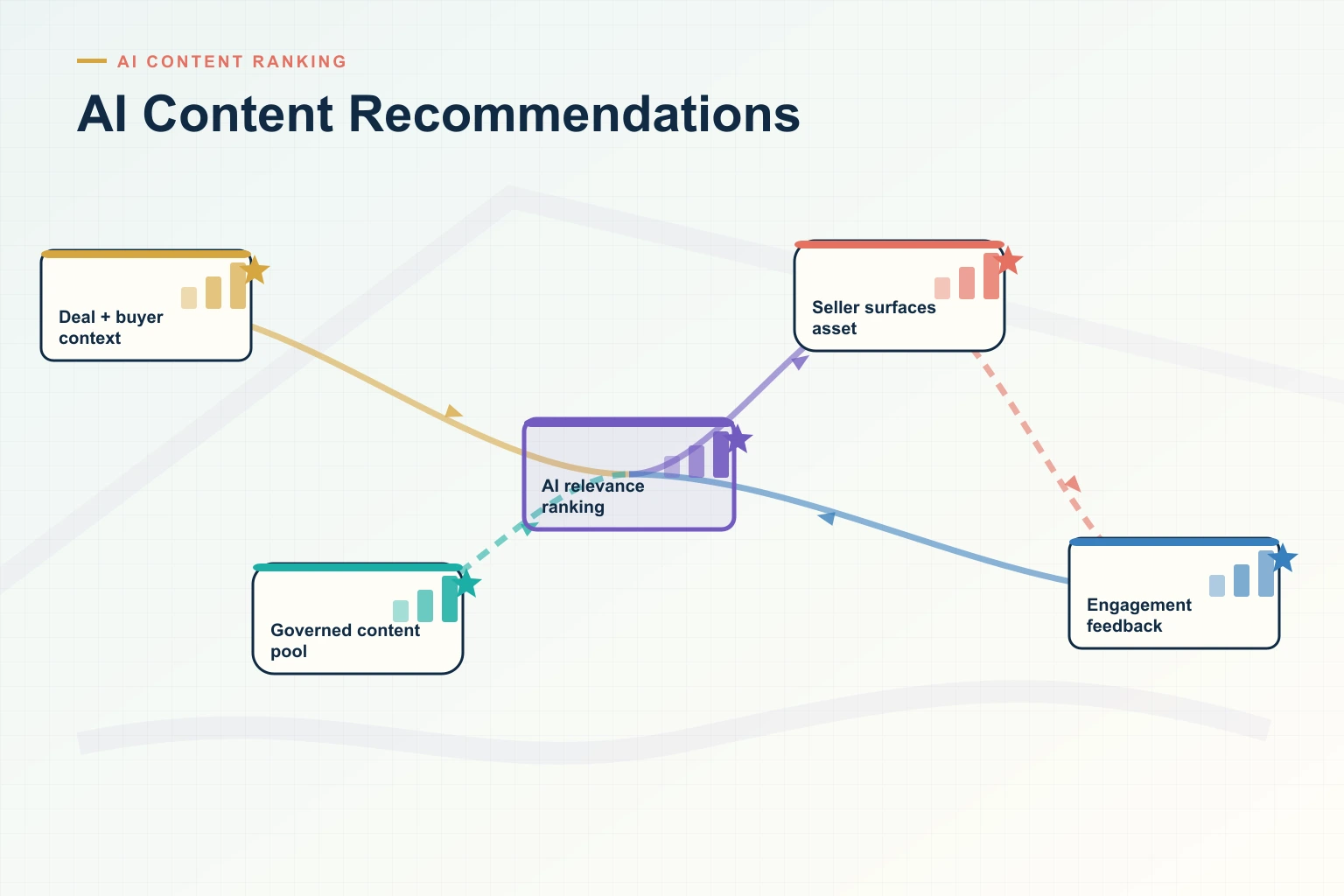
AI content recommendations for sales are software suggestions of the approved asset a seller should use or send next, chosen from the deal’s context (CRM stage, industry, product, competitor and buyer roles) and often weighted by what similar won deals used. They appear inside the CRM opportunity, email or chat, so reps do not have to search a library.
This guide covers how the recommendations are generated, what Salesforce and HubSpot do natively, when a connected sales enablement platform is worth it, and how to set up and measure recommendations by deal stage. Vendor details were checked on each vendor’s own pages on 16 October 2026.
Last updated: 16 October 2026
What are AI content recommendations for sales?
A content recommendation engine for B2B sales does one job: for an open opportunity, it picks the few assets from the approved library that fit that deal right now. The result is a short list on the deal record (“recommended for this deal”), not a page of search results. Teams also call this next best content or next best asset , borrowing from next best action in CRM software.
It is a different thing from the recommendation engines on websites and media apps, which suggest articles or products to anonymous visitors based on their browsing. A sales recommendation engine works on a known deal with named stakeholders, recommends only governed content the seller is allowed to share, and is judged by whether deals move, not by clicks. It is one part of guided selling: telling the rep what to do, say and send at each step.
Next best content vs next best action
Next best action recommends a step: book the security review, bring in the executive sponsor, agree a mutual action plan. Next best content recommends the asset that goes with that step. The useful systems pair the two, for example: “The CFO joined the opportunity this week. Send the ROI model and the pricing summary.”
How do AI content recommendations work?
Every recommendation engine matches what it knows about the deal with what it knows about each asset. The inputs usually come from five places:
- Deal context: CRM stage, amount, industry, products, competitor and region.
- People: contact roles on the opportunity, such as economic buyer, IT security or procurement.
- Conversation signals: topics, objections and competitors mentioned in emails and recorded calls.
- Content metadata: tags for stage, persona, industry, product, competitor and use case, plus the asset’s text.
- Engagement and outcomes: what was shared on similar deals, what buyers opened, and which deals were won.
Tools combine four methods to turn those inputs into a ranked list. Most commercial products use more than one.
Method
How it chooses
What it needs
Strength
Watch out for
Rules
“If the stage is Evaluation and a competitor is named, show that competitor’s battlecard.”
Clean CRM fields and an owner who maintains the rules
Predictable and easy to explain
Rules multiply and go stale as products and stages change
Tag and semantic matching (content-based)
Finds assets whose tags or meaning match the deal’s context
Consistent tags and well-written asset text
Works for a new asset from the day it is published
Only as good as the tags; tends to suggest more of the same
Outcome-based ranking (collaborative)
Ranks assets that were used on similar deals that were won
Months of shares, views and win/loss results logged to opportunities
Surfaces useful assets nobody thought to tag
New assets have no history; can keep promoting what is already popular
Generative AI assistant
Answers a rep’s question or drafts a message from retrieved approved content
A governed library and permission controls
Handles plain-language questions and follow-up drafts
Must cite the source asset and respect who may see what
These are the standard trade-offs of recommender systems. Google’s machine learning course (page updated 25 August 2025) notes that content-based filtering needs no data about other users, but depends on hand-engineered features and has limited ability to go beyond existing interests. Its collaborative filtering page (also updated 25 August 2025) explains that collaborative filtering learns without domain knowledge but cannot score an item it never saw in training: the cold-start problem. In sales terms, tags carry new content and outcome data carries proven content.
Why most teams should start with rules and tags
Outcome-based ranking needs a few quarters of shares and views logged against closed opportunities. Until then, rules and tags do most of the work, and sellers trust them more because the reason can be shown next to the asset (“recommended because: Evaluation stage, healthcare, competitor named”).
Why bring content recommendations into the CRM?
Sellers already work across too many tools, and new content rarely reaches deals unless it appears where reps are working. Three studies show the size of the problem:
- In a Gartner survey of 1,026 B2B sellers (published 16 September 2024), 50% said they feel overwhelmed by the amount of technology they need, and overwhelmed sellers were 45% less likely to attain quota. The same survey found sellers who partner effectively with AI tools were 3.7 times more likely to meet quota.
- Salesforce’s State of Sales announcement (3 February 2026; 4,050 sales professionals in 22 countries) reports that the average seller spends 40% of their time selling, and that 51% of sales leaders with AI say disconnected systems are slowing their AI initiatives.
- Highspot’s 2026 Go-to-Market Performance Gap Report (450 GTM leaders; page modified 19 August 2026) found that only 52% of go-to-market initiatives are successfully implemented and used consistently.
A recommendation on the opportunity record is the shortest path from a new launch kit or battlecard to the deal that needs it. It removes a search, a tool switch and a guess.
What data should flow between your sales enablement platform and CRM?
An integration is only as useful as the data it moves, and it has to move in both directions.
Direction
Data
What it enables
CRM to enablement platform
Stage, amount, industry, products, competitor, contact roles
Recommendations and filters that match the deal
Enablement platform to CRM activity
Shares, opens, time on asset, deal room visits, forwarded links, by contact
Engagement on the opportunity timeline, alerts, no manual logging
Enablement platform to CRM reports
Assets used per opportunity, engagement by stakeholder
Content-influenced pipeline and revenue; which assets appear in won deals
Back to the content team
Searches with no results, ignored recommendations, unused assets
A content plan based on gaps sellers actually hit
The write-back changes how deals are read. An opportunity with no logged activity for weeks looks cold in the CRM, but if the buyer’s finance lead opened the business case twice yesterday, it is not; without write-back, the manager never sees that. Silence matters too: in Revspire’s digital sales room benchmark (16 October 2026; aggregated customer data, October 2025 to September 2026), deals whose room had no buyer view for 20 days were won at less than half the overall win rate. You can only alert on silence like that if views reach the CRM.
Can Salesforce recommend sales content?
Partly. Salesforce has the building blocks, but no standard feature that ranks your sales library for each opportunity without configuration. These are the native options, from least to most effort:
- Salesforce CRM Content libraries. Salesforce’s help article describes searchable libraries with permissions and tags, full-text search, and content delivery that tracks previews and downloads. It does not mention recommendations, and the article describes the feature for Salesforce Classic.
- Path. Path shows key fields and “guidance for success” at each step of a process, on opportunities and many other objects, in Lightning Experience. You can name the right asset for each stage there. It is static: every deal at that stage gets the same guidance.
- Einstein Next Best Action. Next Best Action stores offers or actions as Recommendation records and uses strategies, built in Flow Builder, to pick which ones appear on Lightning record pages, app home pages or Experience Cloud sites. You could create one recommendation per key asset and a strategy that filters by stage, industry or competitor. Salesforce’s examples are offers such as repairs, discounts and add-on services, and you build and maintain the logic yourself.
- Sales Programs (Salesforce Enablement). The Sales Programs page (modified 2 October 2026) describes a no-code Program Builder, a Guidance Center that surfaces guides, videos, scripts and templates in the flow of work, and Revenue Milestones that tie activities to program progress. It costs $100 per user per month, billed annually, on top of a Sales Cloud, Service Cloud or Salesforce Platform license, and is built around programs such as onboarding and cross-sell rather than per-deal recommendations.
Teams that want ranked recommendations for each opportunity can add a sales enablement app from the Salesforce AppExchange that places a content panel on the opportunity page and writes engagement back to the record.
Salesforce Files vs a sales enablement platform
Salesforce Files and libraries store documents and attach them to records. A sales enablement platform adds one approved version behind every shared link, review and expiry dates, tags by stage and persona, recommendations on the deal, tracking of what each buyer opened, and reports joining content use to outcomes. A small, stable library can live in Files with Path guidance; hundreds of assets changing every quarter need the governance and tracking.
How do you surface sales content in HubSpot deals?
HubSpot’s closest native feature is playbooks. According to HubSpot’s knowledge base (updated 1 May 2026), playbooks are interactive content cards shown in the right panel of contact, company, deal, ticket and custom object records, and they require Sales Hub or Service Hub Professional or Enterprise. A playbook can hold formatted text, links, images, knowledge base articles, snippets, videos and embeds. A deal stage recommendation rule puts a playbook at the top of the list, marked “Recommended”, when the deal reaches that stage, and rules can also use company, contact, deal or ticket properties. With the Slack integration installed, reps can search playbooks in Slack.
A workable setup is one playbook per deal stage, each linking to the three to five approved assets for that stage, with property rules for industry or product where the content differs. The limits: rules are maintained by hand, nothing is ranked by outcomes, and the linked files live wherever you store them, so version control depends on that system. For ranked recommendations, look at enablement platforms that integrate with HubSpot.
Can reps get content recommendations in Gmail, Outlook, Slack or Teams?
Yes, through enablement platform add-ins, but each vendor supports different channels. GTM Buddy’s integrations page says its Outlook and Gmail integrations suggest content based on the opportunity and the conversation, while its Slack and Teams apps give access to collateral and engagement alerts. Spekit’s Salesforce page says its Outlook plugin recommends content while reps write. Revspire’s Slack app lets reps ask questions and find permission-aware content, deal rooms, playbooks and training without leaving Slack.
Whatever the channel, a share from email or chat should log to the same opportunity as a share from the CRM, or your content reporting has holes where reps work most.
How do you set up content recommendations by deal stage?
- Fix the fields the recommendations depend on. Write exit criteria for each stage and make the competitor, industry, product and contact-role fields required at the stage where they matter. Salesforce’s 2026 State of Sales announcement found that 79% of high performers prioritize data hygiene, against 54% of underperformers.
- Prune the library before you tag it. In Revspire’s content-to-revenue benchmark (16 October 2026; October 2025 to September 2026 data), 35% of active sales assets had no shares and no opens in the last 90 days. Archive or merge unused and duplicate assets first, so the engine cannot recommend them.
- Tag with a small, fixed schema. Stage, persona, industry, product, competitor and use case, plus an owner and review date per asset.
- Build a stage-by-role map. For each stage, list the buyer’s question, the asset that answers it and the CRM change that triggers it (table below).
- Start with rules, then add ranking. Encode the map as rules or tag filters; let outcome data reorder the list once a few quarters of history exist.
- Show recommendations where reps work and log every share. Put the panel on the opportunity page, and make sure email, chat and deal room shares write back to the same record.
- Review monthly. Check what was recommended but ignored, what reps searched for and could not find, and what buyers opened. Fix the content or the rule.
Stage
Buyer’s question
Recommend
Trigger in the CRM
Discovery
Do they understand our problem?
Industry point of view, customer story from the same segment
Stage set to Discovery; industry field
Evaluation
Will it work for us, and is it better than the alternative?
Use-case product overview, competitor comparison sheet, internal battlecard for the rep
Competitor field filled
Business case
Is it worth the money?
ROI model, business case template, finance one-pager
Economic buyer or CFO added as a contact role
Security and legal
Is it safe, and can we sign it?
Security overview, data processing documents, standard terms
Security or legal contact role added
Proposal and close
What will we pay, and how will rollout work?
Current proposal, implementation plan, mutual action plan
Stage set to Proposal
The last row reflects what buyers look at near signature. In Revspire’s digital sales room benchmark, 80% of buyer views in the 14 days before a won deal closed went to the proposal and the implementation plan. For a fuller stage map, including content for each member of the buying group, see our guide to buyer journey content mapping.
Worked example (illustrative)
A healthcare software opportunity moves from Discovery to Evaluation. The rep records a competitor and adds the buyer’s IT security lead. The opportunity panel now shows the internal battlecard for that competitor, the healthcare security overview, and a comparison one-pager approved for external use. Two weeks later the CFO joins, and the ROI model and pricing summary move to the top. Each share logs to the opportunity; when the security lead opens the overview twice in a day, the rep gets an alert and the manager sees the views in the pipeline review.
How do you connect content usage to Salesforce opportunities?
The mechanics are the same in any CRM. Each share creates a tracked link tied to a contact and an opportunity. Each open, view or download is logged back, either as an activity on the opportunity or as a custom object related to it. Reports then join that activity to the opportunity’s outcome, which gives you content attribution: the pipeline and closed-won revenue in which each asset was shared or opened before the deal closed.
Three reports are worth building first: the share of closed-won revenue that touched governed content, the number of distinct assets used on won versus lost deals, and the win rate of deals that followed a playbook’s recommended assets versus those that did not. For reference, Revspire’s content-to-revenue benchmark found that the median won deal used four more distinct assets than the median lost deal, and that deals following a playbook with its recommended assets were won 36.9% of the time against 30% for deals that followed none (20 and 15 organizations respectively). Those are observed associations, not proof that content won the deals: deals that progress pass through more steps, and each step needs material.
How do you measure whether content recommendations work?
- Acceptance rate: the share of recommendations that reps opened or shared. A low rate means the rules or tags are wrong, or reps do not trust them.
- Time to first share after a stage change: how quickly the right asset reaches the buyer once the deal moves.
- Buyer engagement on recommended assets compared with assets reps found by searching.
- Content gaps: searches with no result and recommendations that are always skipped.
- Deal-level outcomes: distinct assets on won versus lost deals, and content-influenced revenue, compared within the same deal-size band.
- Stall alerts: deals where no buyer has opened anything for several weeks.
Run the first rollout as a pilot with one team and compare it with a similar team that does not have recommendations, over the same quarter. That is the cleanest way to separate the effect of recommendations from the effect of a good quarter.
Which sales enablement tools recommend content based on opportunity data?
Revspire publishes this list and is one of the tools on it. Tools are listed alphabetically. Each entry uses only what the vendor’s own pages said when we checked them on 16 October 2026, and prices appear only where the vendor publishes them.
Tool
What its pages say about CRM content recommendations
Pricing (vendor page, 16 October 2026)
One limitation
GTM Buddy
AI-driven content recommendations in the CRM based on Salesforce, HubSpot or Zoho opportunity context, plus content suggestions in Outlook and Gmail (integrations page)
No price list; the homepage offers demo booking
Microsoft Dynamics is not among the CRMs on its integrations page
Highspot (by Seismic)
Highspot AI can be embedded in Salesforce to recommend content, plays and training, and content views, downloads and sales room activity are mapped to Salesforce records (Salesforce page, modified 15 July 2026); its content management page lists recommendations embedded in the CRM
Quote-based: Good, Better and Best plans, each “Contact sales”; “AI-recommended content” from Good upward (pricing page, modified 7 August 2026)
A Seismic product brand since Seismic completed the merger on 18 August 2026, so confirm roadmap and renewal terms
Revspire
Content Hub recommends content inside the CRM based on the opportunity’s context; deal rooms recommend content by deal stage and stakeholder role; CRM integrations include Salesforce, HubSpot, Microsoft Dynamics 365, Zoho CRM and Pipedrive
Per module with unlimited user licenses, quoted by sales; average customer about $25,000 USD a year; no free plan or trial listed (pricing page)
No published prices, so cost depends on a sales quote for the modules you need
Seismic
AI recommendations by deal stage, persona or product (content management page); recommendations from CRM metadata for each opportunity stage (Salesforce app listing); a Salesforce integration spanning Experience Cloud, Financial Services Cloud and Salesforce Libraries
No published prices found; the homepage has no pricing link and offers demos
Its pages say recommendations use CRM metadata but do not list which CRM fields drive them, so ask during evaluation
Showpad
“AI-Powered CRM Recommendations” listed under content management (pricing page)
Quote-based and licensed per user: Professional, Advanced and Expert
AI-Powered CRM Recommendations are listed only in Expert, the top plan; lower plans list CRM integrations but not CRM recommendations
Spekit
Content recommendations in its AI Sidekick (pricing page); an Outlook plugin that recommends content while reps write, and content interactions tied back to Salesforce data (Salesforce page)
Customised; no published prices
Its Salesforce page ties recommendations to live activity context and, through Gong, to what the buyer said on calls, but does not say which Salesforce fields drive them
Which to shortlist:
- GTM Buddy if your reps live in email and chat and you want opportunity-based suggestions there first.
- Highspot if you are planning a large enterprise rollout across many integrations and accept quote-based pricing.
- Revspire if you want CRM recommendations, deal rooms, playbooks and AI role-play in one workflow; every plan includes unlimited user licenses, and prices come through a sales quote.
- Seismic if you need enterprise-scale content governance and already run Seismic or Highspot.
- Showpad if you already use Showpad and the Expert plan fits your budget.
- Spekit if you mainly need just-in-time answers and process guidance across tools, with content as one part of that.
- Native Salesforce or HubSpot features if your library is small and stable, a stage-by-stage list of assets is enough, and an admin will keep Path guidance, Next Best Action strategies or playbook rules current.
What should you ask a vendor before you buy?
- Which CRM fields and objects drive recommendations, including custom fields and custom objects?
- Can a rep see why an asset was recommended?
- Do recommendations respect content permissions, regions and expiry dates?
- How is a brand-new asset recommended before it has any usage history?
- What is written back to the CRM (shares, views, time on asset, by contact), and to which object?
- Do shares from email, chat and deal rooms log to the same opportunity as shares from the CRM?
- Who maintains the rules, and how long does a change take?
- Are AI answers grounded in, and linked to, approved assets? Is your data used to train shared models?
- Which plan includes CRM recommendations and write-back?
To see CRM content recommendations on one of your own opportunities, request a Revspire demo and bring a live deal.
Frequently asked questions
What is a content recommendation engine?
A content recommendation engine is software that ranks content for a person or situation instead of making them search for it. In B2B sales, it ranks approved assets for a specific opportunity using CRM fields such as stage, industry, product and competitor, the roles of the buyers involved and, over time, what similar won deals used. The results appear on the deal record, in email or in chat.
Can Salesforce recommend sales content?
Not out of the box for each opportunity. Path shows fixed guidance per stage, and Einstein Next Best Action can surface recommendation records chosen by strategies built in Flow, so an admin can configure basic stage- or field-based suggestions. For ranked recommendations with buyer engagement written back, add a sales enablement app from the AppExchange.
Do you need a sales enablement platform if you have Salesforce?
Not always. A small, stable library can be handled with Salesforce Files, Path guidance and a few Next Best Action strategies. A platform earns its cost when hundreds of assets change every quarter and you need one approved version behind every link, buyer-level tracking and reports that connect content to won revenue.
What is the best way to surface sales content in HubSpot deals?
Natively, use playbooks with deal stage recommendation rules, which mark a playbook as “Recommended” on the deal record when the deal reaches that stage; this needs Sales Hub or Service Hub Professional or Enterprise. Link each playbook to the approved assets for that stage. For ranking by outcomes and buyer tracking, connect an enablement platform that integrates with HubSpot.
What is next best content?
Next best content is the asset a seller should send or use next on a deal, given its stage, the people involved and what has worked on similar deals. It is the content half of next best action: the action might be “brief the CFO”, and the next best content is the ROI model and pricing summary that go with it.
Sources
All pages were accessed on 16 October 2026. Publication or modification dates are shown where the page gives one.
- Gartner Sales Survey Reveals Sellers Who Partner With AI Are 3.7 Times More Likely to Meet Quota, Gartner, 16 September 2024, accessed 16 October 2026
- The Productivity Gap: New Survey Shows 9 in 10 Sellers Are Betting on AI and Agents To Help, Salesforce, 3 February 2026 (modified 19 February 2026), accessed 16 October 2026
- 2026 Go-to-Market Performance Gap Report, Highspot, a Seismic company (page modified 19 August 2026), accessed 16 October 2026
- Content-based filtering: advantages and disadvantages, Google for Developers, Machine Learning: Recommendation Systems course, updated 25 August 2025, accessed 16 October 2026
- Collaborative filtering: advantages and disadvantages, Google for Developers, Machine Learning: Recommendation Systems course, updated 25 August 2025, accessed 16 October 2026
- Salesforce CRM Content, Salesforce Help (no date shown), accessed 16 October 2026
- Guide Users with Path, Salesforce Help (no date shown), accessed 16 October 2026
- Einstein Next Best Action, Salesforce Help (no date shown), accessed 16 October 2026
- Sales Programs and Enablement Platform, Salesforce, published 14 April 2023 (modified 2 October 2026), accessed 16 October 2026
- Use playbooks, HubSpot Knowledge Base, updated 1 May 2026, accessed 16 October 2026
- Integrations, GTM Buddy (no date shown), accessed 16 October 2026
- GTM Buddy homepage, GTM Buddy (no date shown), accessed 16 October 2026
- Highspot pricing, Highspot by Seismic (page modified 7 August 2026), accessed 16 October 2026
- Highspot for Salesforce, Highspot by Seismic (page modified 15 July 2026), accessed 16 October 2026
- Sales content management system, Highspot by Seismic (page modified 24 April 2026), accessed 16 October 2026
- Seismic completes merger with Highspot, Highspot blog, 18 August 2026, accessed 16 October 2026
- Sales content management, Seismic (no date shown), accessed 16 October 2026
- Seismic for Salesforce, Seismic (no date shown), accessed 16 October 2026
- Salesforce app listing, Seismic Exchange (no date shown; version 4.0.0), accessed 16 October 2026
- Seismic homepage, Seismic (no date shown), accessed 16 October 2026
- Showpad pricing, Showpad (no date shown), accessed 16 October 2026
- Spekit for Salesforce, Spekit (no date shown), accessed 16 October 2026
- Spekit pricing, Spekit (no date shown), accessed 16 October 2026
- Sales content benchmark: how much content goes unused, and what wins, Revspire, 16 October 2026 (aggregated customer data, October 2025 to September 2026), accessed 16 October 2026
- Digital sales room benchmark: do deal rooms improve win rates?, Revspire, 16 October 2026 (aggregated customer data, October 2025 to September 2026), accessed 16 October 2026