Best MCP Servers for Sales Teams in 2026: 11 Vendor Servers by Job
A practical perspective for connecting this idea to your revenue team’s next move.
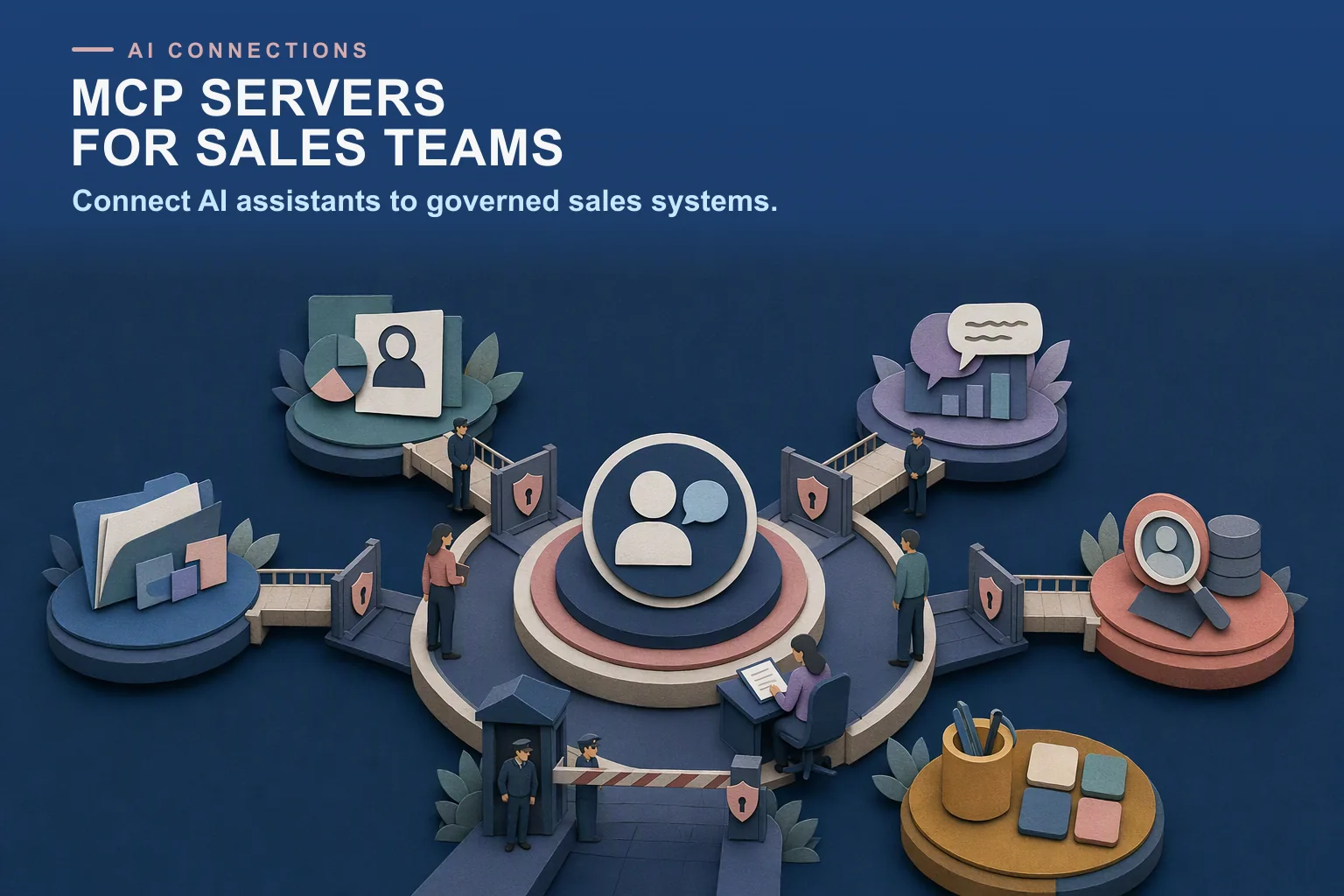
The best MCP servers for sales teams are the official ones from tools you already use. For CRM, Salesforce and HubSpot both publish hosted servers. For call insights, Gong. For enablement content and deal rooms, Highspot, Revspire and Spekit. For prospecting data, Apollo and ZoomInfo. For workspace context, Slack, Notion and Google Workspace (in developer preview).
An MCP server lets an AI assistant such as Claude or ChatGPT read from, and sometimes write to, a business system. For a rep, that means one assistant can answer a deal question from the CRM, recent calls and approved content. This guide lists 11 vendor-published servers grouped by job, with a security note per group, an evaluation checklist and a worked example.
Last updated: 27 October 2026
Disclosure: Revspire publishes this guide. Revspire appears once, in the enablement group, and is not ranked above other servers. We included only servers documented on the vendor’s own website, checked on 27 October 2026; community-built servers for these tools are not covered. Servers are grouped by job and listed alphabetically within each group.
What is an MCP server?
MCP, the Model Context Protocol, is “an open-source standard for connecting AI applications to external systems”, according to the project’s introduction. It lets AI applications like Claude or ChatGPT connect to data sources, tools and workflows so they can find information and do tasks. The project compares it to a USB-C port for AI applications.
The MCP specification defines three roles: hosts (the AI application), clients (connectors inside the host) and servers (services that provide context and capabilities). A server can offer resources (data), prompts (templates) and tools (functions the model can run). The specification says hosts must get explicit user consent before invoking any tool, and that tool descriptions should be treated as untrusted unless they come from a trusted server. That is why the vendor behind a server, and how it handles sign-in and permissions, matters so much.
MCP servers for sales compared: summary table
Server
Job
Read or write
How you connect
Plan notes (vendor docs, 27 Oct 2026)
HubSpot remote MCP server
CRM records and activities
Read and write
OAuth 2.1 with PKCE to mcp.hubspot.com
All HubSpot accounts
Salesforce hosted MCP servers
CRM objects, Data 360, Tableau Next
Read and write (by server)
OAuth via an External Client App; admin activates servers
Edition not stated
Gong MCP server
Account and deal insights from Gong
Read-only
OAuth integration created by a Gong tech admin
Any Gong plan; paid seat and credits
Highspot MCP server
Content, answers, Digital Rooms
Not stated
Sign in with Highspot credentials
Licensed Highspot user
Revspire MCP server
Content, deal rooms, playbooks, analytics, reports
Read and write
OAuth as the signed-in Revspire user
Revspire account
Spekit MCP connector
Speks, topics, deal rooms
Read and write
OAuth at mcp.spekit.co/mcp
Every Spekit account, no extra charge
Apollo MCP
Prospect search, enrichment, sequences
Read and write
OAuth or master API key at mcp.apollo.io/mcp
Any plan; credits apply
ZoomInfo MCP server
Company and contact data, intent signals
Read-only
OAuth with the user’s ZoomInfo login
Every subscription; uses bulk data credits
Google Workspace MCP servers
Gmail, Drive, Docs, Calendar, Chat and more
Read and write (by product)
OAuth client in a Google Cloud project
Developer Preview Program
Notion MCP
Pages and databases
Read and write
OAuth to mcp.notion.com/mcp
Every plan; some features Business or Enterprise
Slack MCP server
Messages, channels, canvases, files
Read and write
OAuth through a registered Slack app at mcp.slack.com/mcp
Not stated; admins approve clients
From each vendor’s own documentation, 27 October 2026. “Not stated” means the page we opened did not say.
CRM MCP servers
The CRM is usually the first server a sales team connects. Revspire’s Salesforce and HubSpot integration pages cover how CRM data flows into enablement.
HubSpot remote MCP server
- What it exposes: HubSpot’s changelog (13 April 2026, updated 15 April) lists read access to CRM records including contacts, companies, deals, tickets, line items, quotes, invoices, products and subscriptions, plus marketing objects and activities. It can create and update contacts, companies, deals, tickets, line items and products, plus calls, meetings, notes, tasks and emails.
- Access and hosting: remote server at mcp.hubspot.com. You create an MCP auth app under Development, then connect any MCP client that supports OAuth 2.1 with PKCE.
- Plan requirements: the changelog says it is “generally available to all HubSpot accounts”.
- Watch for: all actions respect existing user permissions. If sensitive data is turned on, activity objects are blocked. A separate local developer server is for building apps (HubSpot MCP).
Salesforce hosted MCP servers
- What it exposes: Salesforce’s standard servers reference lists seven servers: SObject All (create, read, update, delete, query and search across objects), SObject Reads (read only), SObject Mutations (create and update, no delete), SObject Deletes, Data 360, Headless 360 (beta) and Tableau Next. Salesforce’s mcp-hosted repository says admins can also create custom servers from APIs and Flows.
- Access and hosting: standard servers are disabled by default and an admin activates them. Each server links to an External Client App for OAuth; the connection guide says Connected Apps cannot be used. Tested clients include Claude, ChatGPT, Cursor and Postman.
- Plan requirements: not stated on the pages we opened.
- Watch for: field-level security, object permissions and sharing rules apply to every call. Salesforce’s Claude setup post (26 May 2026) uses the mcp_api and refresh_token, offline_access scopes.
Security note for CRM servers: both respect the signed-in user’s permissions, so the assistant sees no more than the rep. The bigger risk is writes. Start read-only where you can (Salesforce’s SObject Reads server) and add write access later.
Conversation intelligence MCP servers
Gong MCP server
- What it exposes: Gong’s help article on supported AI tools lists three functions: ask account, ask deal and generate brief. It says the integration is read-only and “Private calls are excluded from all results.” Gong’s MCP overview adds that Gong can also act as an MCP client, pulling in data from external servers.
- Access and hosting: server URL mcp.gong.io/mcp. A tech admin creates a separate integration per AI tool in the Admin center, with manual (client ID and secret) or automatic registration (setup guide). Gong names native integrations for Claude, ChatGPT and Microsoft Copilot.
- Plan requirements: any Gong plan. Users need a paid seat, collaborators cannot connect, and queries use Gong credits.
- Watch for: the admin chooses Shared access, where the agent can reach all Gong data, or Personal access (the default), limited to the signed-in user’s permissions. These settings cannot be changed after the integration is saved.
Security note for call data: call content is often a sales team’s most sensitive data. Use Personal access so each rep sees only what they could see in Gong.
Sales enablement MCP servers
Enablement servers give the assistant approved content, playbooks and deal rooms instead of the open web. Our guide to AI agents and GTM knowledge governance covers why that matters. We could not find a vendor-published MCP server page for Mindtickle on 27 October 2026, so it is not listed.
Highspot MCP server
- What it exposes: Highspot’s MCP server page lists content search, answers to GTM questions, deal-specific next steps, AI Role Plays, content recommendations, linked pitches, Digital Rooms and Highspot Agents.
- Access and hosting: available in “leading AI platforms, including OpenAI, Anthropic, and Microsoft Copilot”. Highspot’s Microsoft connector listing (Preview, published by Highspot) says users sign in with their Highspot credentials and lists a throttling limit of 100 calls per connection per 60 seconds.
- Plan requirements: the connector listing says “You must be a licensed Highspot user”. The product page does not say which plans include it.
- Watch for: neither page describes the permission model or which actions write data, so ask Highspot before rollout.
Revspire MCP server
- What it exposes: the Revspire MCP server lets ChatGPT, Claude and n8n work with Revspire search, content, deal rooms, playbooks and analytics. Its nine tool groups are Search, Content, Content Requests, Tags, Deal Rooms, Playbooks, Pitch (buyer journeys), Analytics, and Reporting and Dashboards. An agent can find content, create share links with an expiry date, create a deal room from a playbook, read buyer engagement and build reports. A Salesforce bridge can prepare a task, log an activity or propose opportunity field changes for CRM-linked deal rooms.
- Access and hosting: clients sign in with OAuth, and the agent works as the Revspire user who connected it. Revspire Academy has quick starts for ChatGPT, Claude and n8n.
- Pricing: the MCP server works with a Revspire account. Revspire is priced by module with unlimited user licenses; about $25,000 USD a year on average (Revspire pricing).
- Watch for: Revspire does not record calls (Conversation Intelligence is coming soon), so call insights need another server. Deletes and Salesforce updates run as a preview and need explicit confirmation.
Spekit MCP connector
- What it exposes: Spekit’s help article lists read tools (topics, content search, Speks and asset text, style guide and templates, companies and deal rooms) and write tools (create topics, Speks, companies and deal rooms, and update Speks).
- Access and hosting: one server URL, mcp.spekit.co/mcp, for every client, with sign-in through your Spekit login. Named clients include Claude, ChatGPT, Salesforce Agentforce, Gemini CLI, Codex CLI and Gong.
- Plan requirements: included with every Spekit account at no extra charge. On Claude Team and Enterprise, an owner adds the connector before members connect.
- Watch for: every action runs as the user and matches their Spekit role, enforced on the backend, so a viewer cannot create content through an AI tool.
Security note for enablement servers: these servers can create links, rooms and content that buyers see. Check that existing roles are enforced, links can expire and deletes need confirmation. Revspire’s Content Hub page explains content governance.
Prospecting and data MCP servers
Apollo MCP
- What it exposes: Apollo’s MCP documentation lists people and company search, enrichment, transcripts, analytics and tasks, plus writes: create and update contacts, accounts and deals, build sequences, enroll contacts and send one-off emails.
- Access and hosting: hosted at mcp.apollo.io/mcp. OAuth scopes access to the authorizing user; a master API key is also supported for server-side clients. The product page names Claude, ChatGPT and Perplexity.
- Plan requirements: “Any plan qualifies, including free”, with no separate MCP cost. Search and enrichment use credits, and free accounts registered with a personal email cannot use search or enrichment.
- Watch for: API key requests act as the workspace’s longest-standing active admin, not the key’s creator. Apollo recommends requiring approval before credit-consuming actions run.
ZoomInfo MCP server
- What it exposes: ZoomInfo’s announcement (27 July 2026) says the server finds and enriches companies and contacts, researches accounts and surfaces intent signals, news and scoops. It is read-only.
- Access and hosting: each user signs in with their own ZoomInfo credentials through OAuth. Named clients include Claude, ChatGPT and Microsoft Copilot.
- Plan requirements: included with every subscription. Search and lookup are free; enrichment uses one bulk data credit per new record, up to 25 per call. MCP “does not work with recurring monthly credits”.
- Watch for: admins enable MCP per user in the Admin Portal and can set per-user credit limits.
Security note for data servers: the main risk is cost and outreach. An assistant that can enrich or enroll contacts can spend credits and send email fast. Set per-user credit limits and require approval for enrichment and sends.
Workspace MCP servers
Google Workspace MCP servers
- What it exposes: Google’s configuration guide lists servers for Gmail, Drive, Docs, Sheets, Slides, Calendar, Chat, People and Classroom. Gmail tools read messages and threads and create drafts; Calendar tools can create, update and delete events.
- Access and hosting: one Google endpoint per product. You create an OAuth client in a Google Cloud project, enable the APIs and MCP services and grant scopes per product.
- Plan requirements: a “Developer Preview” feature, available through the Google Workspace Developer Preview Program. For Claude it lists Enterprise, Pro, Max or Team plans.
- Watch for: administrators can review OAuth log events in the security investigation tool.
Notion MCP
- What it exposes: Notion’s MCP page says clients can search, create pages and databases, and “read and update content that you can access”.
- Access and hosting: a remote server hosted by Notion at mcp.notion.com/mcp, with OAuth sign-in (getting started).
- Plan requirements: works on every plan. MCP tokens and connected-source search need Business or Enterprise; guests cannot connect.
- Watch for: Notion’s help page says it “continues to respect all existing Notion permissions”. Enterprise admins can restrict members to an approved list of AI apps.
Slack MCP server
- What it exposes: Slack’s developer docs list search across messages, files, users and channels, reading channels and threads, sending and scheduling messages, and working with canvases, files and lists. Slack announced it on 17 February 2026 (changelog).
- Access and hosting: hosted at mcp.slack.com/mcp. Clients must be backed by a registered Slack app, using OAuth with user token scopes per tool. Named clients include Claude.ai, Perplexity and Cursor.
- Plan requirements: not stated on the pages we opened.
- Watch for: “Workspace admins can approve and manage all MCP client integrations”, activity appears in audit logs, and Web API rate limits apply.
Security note for workspace servers: these servers expose private messages, email and files. Grant the narrowest scopes per tool. Slack’s docs also warn that connected clients can use your Slack data as context, so take care when combining servers.
How do you evaluate an MCP server?
Use this checklist before you approve any server for the team.
- Authentication. OAuth with per-user sign-in, or a shared key? Apollo’s API key acts with admin rights.
- Permissions model. Does every call run with the user’s own permissions? Gong’s Shared access option is the counter-example.
- Read versus write tools. List which tools change data. Prefer read-only servers or read-only modes for the first rollout.
- Confirmation for risky actions. Do deletes, CRM updates and sends need explicit confirmation, beyond the client’s consent prompt?
- Admin approval. Can an admin control which clients connect and which users have access? Slack, ZoomInfo and Notion Enterprise document this.
- Audit logs. Can you see what the agent did and as whom?
- Rate limits and costs. Find the documented limits and whether calls use credits.
- Data exposure. Which fields come back, and are sensitive records such as private calls excluded?
- Vendor publication. Is the server published and documented by the vendor, or a community project?
Worked example: a rep’s morning across three servers
Dana Ortiz (fictional) is an account executive at Brackenfield Software (fictional). Her team uses HubSpot, Gong and Revspire, and she has connected all three servers to her AI assistant. Before a call with Larchmont Foods (fictional), she runs four prompts.
Step
Server and tool group
Read or write
Guardrail
“Summarize the Larchmont deal and what was agreed on the last two calls.”
Gong (ask deal) and HubSpot (deal record)
Read
Personal access; private calls excluded
“Create a deal room for Larchmont from our mid-market playbook and add our two food industry case studies.”
Revspire (Playbooks, Deal Rooms, Search)
Write
Runs as Dana’s Revspire user
“Give me a share link to the room that expires on 30 November.”
Revspire (Content)
Write
Link has an expiry date
“Log a note on the HubSpot deal and create a follow-up task for Friday.”
HubSpot (notes, tasks)
Write
Her HubSpot permissions apply
Illustrative only. Tool behaviour as described in each vendor’s documentation on 27 October 2026.
One prompt reads and three write, each under Dana’s own permissions. After the call, she asks Revspire for the room’s buyer journey to see who opened it.
How do you choose MCP servers for your sales team?
- Start with your system of record. Connect the CRM first; most answers depend on it.
- Add one source of approved content. An enablement server keeps the assistant on approved messaging and assets.
- Roll out read before write. Run two weeks read-only, review what reps ask, then enable writes tool by tool.
- Put credits and sends behind approval. Enrichment, sequence enrollment and email sends should need a click.
To see Revspire’s server with your own content and deal rooms, book a Revspire demo.
Frequently asked questions
What is an MCP server for sales?
It is a server that exposes a sales tool, such as a CRM, call recorder or enablement platform, as tools an AI assistant can call through the Model Context Protocol. The assistant can then answer with live deal data and approved content, and sometimes take actions in the tool.
Can I connect Salesforce to Claude or ChatGPT?
Yes. Salesforce’s hosted MCP servers are generally available, and its connection guide lists Claude and ChatGPT among tested clients. An admin activates the servers and creates an External Client App for OAuth.
Does HubSpot have an official MCP server?
Yes. HubSpot’s remote MCP server at mcp.hubspot.com became generally available to all HubSpot accounts on 13 April 2026. It reads CRM records and can create and update contacts, companies, deals, tickets and activities.
Are MCP servers safe to use with CRM data?
They can be, if each call runs with the user’s own permissions and risky actions need confirmation. Use the checklist above before rollout.
Do sales MCP servers cost extra?
Spekit, Apollo and ZoomInfo say their servers are included at no extra cost, and HubSpot’s is available to all accounts. Calls to Apollo, ZoomInfo and Gong can use credits.
Related: what an agentic revenue enablement platform is and Revspire integrations.
Sources
- What is the Model Context Protocol (MCP)?, Model Context Protocol, version 2026-07-28, accessed 27 October 2026
- Specification, Model Context Protocol, version 2025-11-25, accessed 27 October 2026
- Remote HubSpot MCP server is now generally available, HubSpot, 13 April 2026 (updated 15 April 2026), accessed 27 October 2026
- HubSpot MCP, HubSpot, undated, accessed 27 October 2026
- Standard MCP Servers Reference, Salesforce, undated, accessed 27 October 2026
- Connecting an MCP Client, Salesforce, undated, accessed 27 October 2026
- Connect Claude with Salesforce Hosted MCP Servers, Salesforce, 26 May 2026, accessed 27 October 2026
- mcp-hosted, Salesforce (forcedotcom), undated, accessed 27 October 2026
- About Gong MCP, Gong, undated, accessed 27 October 2026
- Create an integration to connect to the MCP server, Gong, undated, accessed 27 October 2026
- Enable supported AI tools for Gong, Gong, undated, accessed 27 October 2026
- Highspot MCP Server, Highspot, undated, accessed 27 October 2026
- Highspot MCP (Preview) connector, Microsoft Learn (publisher: Highspot), undated, accessed 27 October 2026
- Spekit MCP Connector, Spekit, undated, accessed 27 October 2026
- Apollo MCP, Apollo.io, undated, accessed 27 October 2026
- Apollo MCP product page, Apollo.io, undated, accessed 27 October 2026
- ZoomInfo MCP Server: Bring Verified B2B Data Into Your GTM Workflows, ZoomInfo, 27 July 2026, accessed 27 October 2026
- Configure the Google Workspace MCP servers, Google, undated, accessed 27 October 2026
- Notion MCP, Notion, undated, accessed 27 October 2026
- Get started with MCP, Notion, undated, accessed 27 October 2026
- Notion MCP help, Notion, undated, accessed 27 October 2026
- Slack MCP server, Slack, undated, accessed 27 October 2026
- Announcing the Slack MCP server and Real-time Search API, Slack, 17 February 2026, accessed 27 October 2026