Best Guided Selling Software in 2026: 10 Tools Compared
A practical perspective for connecting this idea to your revenue team’s next move.
The best guided selling software for most B2B teams in 2026 puts plays, next best actions and recommended content inside the CRM at each deal stage. Pick by job: Highspot, Seismic and Spekit for plays and content, Gong, Outreach and Salesloft for signal-driven actions, Salesforce for CRM-native recommendations, and Conga or Tacton for CPQ guided configuration.
Guided selling means software that tells a rep what to do next while they work: an in-workflow prompt, a next best action, the play for the current stage, or the content that fits this buyer, drawn from deal data such as stage, industry, persona and activity. CPQ vendors use the same term for something narrower, guided product configuration, where the quoting tool asks needs-based questions and suggests a valid product bundle. The first guides the whole deal; the second guides one step, building the quote. Our guided selling glossary entry covers the concept itself; this page compares the tools.
Last updated: 29 October 2026
Revspire publishes this list and sells one of the tools on it. Vendors are listed alphabetically, described from their own pages, with one limitation each and when to choose someone else. Prices are only those the vendor publishes; the rest are marked quote-based.
Guided selling software compared
If you are still writing down what reps should do at each stage, start with the free sales playbook template below the table, because guided selling software can only surface guidance that someone has defined.
Vendor
Best for
How it guides reps
Pricing (as publicly stated)
Conga CPQ
Complex product lines that need accurate quotes
Guided configuration, automated pricing and proposals
Quote-based
Gong
Teams that coach and inspect deals from recorded conversations
AI deal warnings on deal and forecast boards; training built from real calls
Quote-based (per user plus a platform fee)
Highspot (part of Seismic)
Enablement teams running sales plays in Salesforce or Dynamics 365
Sales Plays and recommended content in the CRM, filtered by persona, industry and deal stage
Quote-based (Good, Better, Best packages)
Outreach
Sales engagement teams that want in-meeting help
Kaia live battlecards in meetings, summaries and follow-ups
Quote-based (per user, plus AI credits)
Revspire
B2B teams that want plays, content, training and deal rooms on one platform
Role-specific plays in seller workflows, in-CRM content recommendations, stage and role recommendations in deal rooms
Priced by module with unlimited user licenses; about $25,000 USD a year on average
Salesforce Sales Cloud
Salesforce shops with admin capacity to build their own logic
Einstein Next Best Action recommendations on record pages
From $25 per user per month (Starter Suite); Core $195, Advanced $395, Max $550 per user per month, billed annually
Salesloft
Reps who need one prioritised daily task list
Rhythm turns buyer signals into ranked actions with a reason for each
Quote-based
Seismic
Large enablement programmes with governed content
Aura AI agents for meetings, presentations, role play and search
Quote-based (no pricing page)
Spekit
Teams that need guidance on CRM fields and stage transitions
Embedded Speks, Spotlights and a Chrome extension inside the CRM and web apps
Quote-based (Adoption, JIT Knowledge, GTM Content packages)
Tacton
Manufacturers selling configurable equipment
Needs-based product selection into a configured, priced quote
Quote-based (no prices on its site)
Alphabetical. Sources are linked in each entry; checked 29 October 2026 unless another date is given.
What does guided selling software do?
It closes the gap between the playbook and the moment a rep needs it. The software reads the deal record and buyer activity and brings the relevant part of the playbook forward. It shows up in five ways:
- Next best actions. A ranked list of what to do now, such as chasing a stakeholder who went quiet, usually with a reason.
- Stage plays. Exit criteria, questions and assets for the current stage, shown on the opportunity.
- Content recommendations. The asset that fits this industry, persona and stage, from an approved library.
- In-app prompts. Field-level help and required qualification criteria inside the CRM.
- Risk alerts. Warnings when a deal has no activity or is stuck in a stage.
An illustrative example of our own: a rep moves a healthcare opportunity to evaluation. The tool shows the evaluation play, recommends the HIPAA overview and an IT discovery checklist, and flags that nobody from security has engaged. Log a competitor and the matching battlecard appears. All of it is your existing playbook delivered at the point of use, so play design matters more than the tool. Our sales methodologies comparison helps you pick the qualification and discovery method your plays should encode.
Guided selling vs CPQ guided selling: what is the difference?
Two categories share one name, and buying the wrong one is expensive.
Sales-process guidance
This is the enablement and revenue-platform meaning: the software guides the whole deal, from next action to play, content and risk. The buyer is usually enablement or RevOps. Highspot, Seismic, Spekit, Revspire, Gong, Outreach, Salesloft and Salesforce’s Next Best Action belong here.
CPQ guided configuration
In configure, price, quote software, guided selling is a step in building the quote. Salesforce’s own Trailhead module on Salesforce CPQ describes it as a set of questions whose answers decide which products the tool suggests. Tacton describes the same needs-to-quote flow, and Conga describes guided configuration for complex product lines; in both, rules keep the bundle valid and correctly priced. The buyer is usually sales operations or product management, and the value is fewer quote errors and less dependence on engineers.
Companies with configurable products often need both: a process tool will not stop an invalid bundle, and a CPQ tool will not tell a rep the economic buyer has gone quiet. If quoting is your main pain, read our CPQ software comparison first. One timing note: Salesforce says on its Salesforce CPQ end-of-sale page that it no longer sells new Salesforce CPQ licenses to new customers and names Revenue Cloud Advanced as the successor, while existing customers keep support and critical fixes.
How to choose guided selling software
Start from where the guidance has to appear and what it is built from, not from the feature list.
- Name the moment you want to change. Discovery quality, stalled deals, quote errors and onboarding speed each point to a different category. Pick one or two.
- Check where reps will see it. If reps live in the CRM, guidance has to appear on the opportunity. Ask which CRMs get the full experience and which get a lighter extension.
- Check what drives the recommendation. Stage and field rules are predictable and easy to audit. AI driven by calls, emails and buyer engagement adapts better but needs clean activity data.
- Decide who maintains the plays. Someone has to own plays, content tags and rules. If nobody has that time, choose the tool that is easiest to maintain.
- Insist on measurement. You should see whether reps used the play and content and whether those deals moved faster, so you can prune bad guidance.
- Price the whole stack. Most tools here are quote-based and per user, some with platform fees or AI credits. Count every seat that needs guidance.
In the demo, ask to see a recommendation on a real opportunity and the rule or signal behind it, how long an admin takes to add a play, which reports show play usage by stage and rep, and what the quote meters separately. For playbook tools in depth, see our sales playbook software guide.
The 10 best guided selling software tools in 2026
Conga CPQ
What it does: Conga’s Advantage CPQ product page describes setting up complex product lines, producing accurate quotes and protecting margin through automated pricing and proposals, and says it provides guided configuration.
Best for: teams selling rule-heavy catalogues who lose time or margin to quote errors.
Pricing: quote-based. Conga’s pricing page lists no prices and asks visitors to request a quote.
What it does not do: its guidance covers configuring, pricing and proposing, not deal-stage plays, sales content or coaching. Choose a process-guidance tool if quotes are already accurate.
Gong
What it does: Gong guides from conversations and deal activity. Its AI Deal Monitor help article describes an agent that shows eight types of configurable warning, such as no activity, ghosted and stalled in stage, on deal and forecast boards. Its enablement page describes training modules built from real calls, certifications and AI call scoring. Our AI sales coaching comparison covers that side.
Best for: teams that record calls and want managers to coach deals from what buyers said.
Pricing: quote-based. Gong prices licences per user plus a platform fee based on the number of users, and publishes no figures (our Gong pricing guide, checked 20 October 2026).
What it does not do: the enablement page describes a library of top-performing calls, not a governed library for decks and documents, so you may still need a content platform.
Highspot (part of Seismic)
What it does: Highspot’s sales playbook software page says Sales Plays and recommended content appear directly in the CRM, filtered by persona, industry and deal stage, with Salesforce and Microsoft Dynamics 365 named in its FAQ. Scorecards track play and content use and buyer engagement, and its AI suggests next steps and flags deal risks.
Best for: enablement teams running structured plays at scale who want to measure adoption.
Pricing: quote-based. Highspot’s pricing page shows Good, Better and Best packages with no figures, only Contact sales; Sales Plays sit in Good.
What it does not do: it does not configure or price products. Highspot’s merger page says the two companies are now one under the Seismic name and that changes will be shared as decisions are finalised, so get roadmap and renewal terms in writing.
Outreach
What it does: Outreach is a sales engagement and revenue platform; its conversation intelligence page says Kaia joins and transcribes meetings and surfaces live battlecards for hard questions, then writes summaries and follow-ups.
Best for: teams already running sequences in Outreach who want help during and after meetings.
Pricing: quote-based. Outreach states per-user pricing with no platform fees, and each Amplify package includes an allowance of AI credits; every package says Request pricing (our Outreach pricing guide, checked 20 October 2026).
What it does not do: its platform pages do not list sales content management, and the cost of extra AI credit packs is not published. Choose an enablement platform if the problem is finding approved content.
Revspire
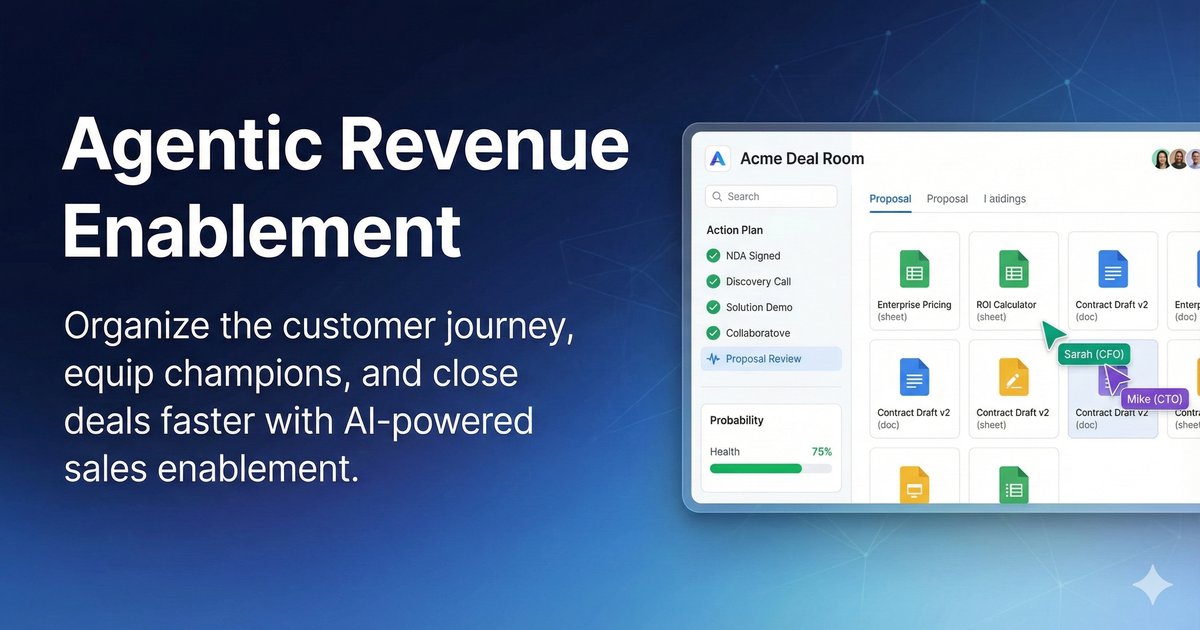
What it does: Revspire is an AI sales enablement platform connecting governed sales content, AI playbooks, AI sales training and coaching, and digital sales rooms. Its AI Playbook Engine builds battlecards, objection plays and messaging grounded in approved revenue knowledge, routes them for approval and publishes role-specific messaging across seller workflows. Content Hub recommends content inside the CRM. Digital Sales Rooms recommend content by deal stage and stakeholder role, run mutual action plans with owners and due dates, and use AI buying-committee mapping to flag deal risks. An optional CPQ module adds guided configuration with product rules and nested dependencies.
Best for: mid-market and enterprise B2B teams that want plays, content, training and deal rooms on one platform.
Pricing: priced by module with unlimited user licenses; about $25,000 USD a year on average.
What it does not do: Revspire does not list call recording, sales engagement or forecasting modules; its Conversation Intelligence module is listed as coming soon, and it integrates with Gong. Choose Gong, Outreach or Salesloft instead if conversation or sequence-driven next actions are your main need.
Salesforce Sales Cloud (Einstein Next Best Action)
What it does: Salesforce’s Trailhead module on Einstein Next Best Action explains the setup: admins define recommendations, build strategies in Strategy Builder that filter and sort them with business rules, and show the result through a Lightning component on record pages. Accepting one runs a linked flow, which must be active for the recommendation to appear.
Best for: Salesforce organisations with admin capacity that want logic they own and can audit.
Pricing: published per user. Salesforce’s Sales pricing page lists Starter Suite at $25 per user per month (billed monthly or annually), Pro Suite at $100, Core at $195, Advanced at $395 and Max at $550 per user per month, billed annually, with Agentforce for Sales as an add-on from $125 per user per month. The Trailhead module does not say which editions include Next Best Action.
What it does not do: it is a framework, not ready-made plays or a content library; someone has to write the recommendations, rules and flows. Choose an enablement platform instead if you do not want to build the logic yourself.
Salesloft
What it does: Salesloft launched Rhythm on 21 June 2023, according to its Rhythm announcement. It turns buyer signals from Salesloft and partner integrations into one prioritised task list per rep, ranked by Conductor AI, explains why each action matters and re-ranks as signals arrive.
Best for: high-volume teams deciding what to do next across many accounts.
Pricing: quote-based. Salesloft’s pricing address opens a Talk to Sales page with no plans or prices (our Salesloft pricing guide, checked 20 October 2026).
What it does not do: its Cadence and Deals pages list no content library, document tracking or buyer-facing deal rooms; content from enablement tools arrives through integrations. Choose an enablement tool if the problem is what to say and send.
Seismic
What it does: Seismic guides through its Aura AI agents. Its Spring 2026 release included Meeting, Presentation, Role-play and Search agents that help sellers prepare, engage and follow up using approved content, account details and meeting insights (destinationCRM, 16 June 2026). The Winter 2026 release (Business Wire, 18 February 2026) added mutual action plan and digital sales room updates, slide personalisation in PowerPoint from live CRM data and MCP support; its chief product officer framed the goal as helping to “guide sellers in their flow of work”.
Best for: large enterprises with big content libraries and strict governance.
Pricing: quote-based. Seismic publishes no prices and has no pricing page (our Seismic pricing guide, checked 21 October 2026).
What it does not do: we found no public statement of whether Aura agents are in the core licence or sold separately, so get that in the quote.
Spekit
What it does: Spekit’s embedded enablement page describes short contextual guidance, called Speks, placed inside the CRM and other apps without code, plus Spotlights notifications and a Chrome extension. It syncs Salesforce objects, fields and picklist values and shows qualification criteria at required fields and stage transitions.
Best for: RevOps teams that want reps to follow process inside Salesforce, for example after a methodology rollout.
Pricing: quote-based. Spekit’s pricing page shows three packages, Adoption, JIT Knowledge and GTM Content, with no prices (our Spekit pricing guide, checked 19 October 2026).
What it does not do: the same page says deeper contextual triggers are available in Salesforce, while other web apps use the Chrome extension, so teams on another CRM should test it in their own system.
Tacton
What it does: Tacton sells CPQ to manufacturers of complex, configurable products. Its guided selling FAQ says Product Selector, combined with Tacton CPQ, takes buyers from their initial needs to a configured, priced quote. Its AI-powered CPQ page says the AI checks suggestions against product rules so configurations can be built, and lists CRM, ERP, PLM and PIM integrations.
Best for: manufacturers whose reps depend on engineers to configure equipment.
Pricing: quote-based. Tacton’s pricing page lists no prices and offers a demo request.
What it does not do: it guides product selection and quoting, not stage plays, coaching or sales content. Choose a process-guidance tool instead if quoting is not the bottleneck.
How we evaluated
We included tools that guide reps inside the workflow, plus two CPQ vendors for the other meaning of the term, and applied four tests:
- Guidance in the workflow: does the vendor describe prompts, plays, next actions or recommendations where the rep works, such as the CRM, a meeting or the quote?
- What drives it and how it is measured: rules, deal, conversation or engagement data, and any reporting on guidance use.
- Pricing: published prices only; otherwise quote-based, with the date checked.
- A factual limitation: one thing the vendor’s pages do not cover.
We opened vendor pages, or vendor press releases where a site could not be reached, on 29 October 2026. Where a vendor’s pricing page could not be re-checked that day, we cite the Revspire pricing guide that records our earlier check, with its date. We did not run hands-on trials or use review-site scores.
Frequently asked questions
What is guided selling software?
Guided selling software brings the right next step, play or content to a rep inside the tools they already use, based on stage, industry, persona and buyer activity. It turns a written playbook into prompts at the moment they apply. In CPQ tools the term means guided product configuration.
What is guided selling in CPQ?
In CPQ, guided selling is a question-led way to build a quote: the rep answers questions about the buyer’s needs and the tool suggests products and valid configurations. Salesforce CPQ, Conga CPQ and Tacton describe guided selling or guided configuration in this sense. It improves quote accuracy but does not guide the rest of the deal.
What is the difference between guided selling and a sales playbook?
A sales playbook documents how your team sells: stages, exit criteria, questions, plays and assets. Guided selling software delivers the relevant part of that playbook in context, on the opportunity or in the meeting, when the rep needs it. You need the playbook first; the software only delivers it.
Is guided selling the same as next best action?
Next best action is one form of guided selling. It ranks or recommends a single action, such as Salesforce’s Einstein Next Best Action or Salesloft’s prioritised task list. Guided selling also includes stage plays, content recommendations, field-level prompts and, in CPQ, guided configuration.
How much does guided selling software cost?
Most vendors on this list do not publish prices and quote per user, sometimes with platform fees or AI credits. Salesforce publishes per-user Sales Cloud prices from $25 to $550 a month. Budget for the admin time to maintain plays as well as the licence.
Sources
- Understand How Einstein Next Best Action Works, Salesforce Trailhead, undated, accessed 29 October 2026.
- Salesforce CPQ: Select Products, Salesforce Trailhead, undated, accessed 29 October 2026.
- Navigating the Future of Salesforce CPQ: Product End of Sale (Not End of Life), Salesforce, undated, accessed 29 October 2026.
- Sales Pricing, Salesforce, undated, accessed 29 October 2026.
- Conga CPQ (Advantage CPQ), Conga, undated, accessed 29 October 2026.
- Pricing, Conga, undated, accessed 29 October 2026.
- Understanding AI Deal Monitor, Gong Help Center, undated, accessed 29 October 2026.
- Sales enablement software, Gong, undated, accessed 29 October 2026.
- Sales playbook software, Highspot, undated, accessed 29 October 2026.
- Pricing, Highspot, undated, accessed 29 October 2026.
- Highspot and Seismic merger, Highspot, undated (merger completed 18 August 2026), accessed 29 October 2026.
- Conversation Intelligence Platform, Outreach, undated, accessed 29 October 2026.
- Salesloft announces Rhythm, powered by Conductor AI, Salesloft, 21 June 2023, accessed 29 October 2026.
- Seismic Extends Aura Agents Across Go-to-Market Workflows, destinationCRM, 16 June 2026, accessed 29 October 2026.
- Seismic helps go-to-market teams close execution gaps in Winter 2026 Product Release, Business Wire, 18 February 2026, accessed 29 October 2026.
- Embedded enablement, Spekit, undated, accessed 29 October 2026.
- Does Tacton Product Selector support guided selling?, Tacton, undated, accessed 29 October 2026.
- AI-powered CPQ software for manufacturing, Tacton, undated, accessed 29 October 2026.
- Pricing, Tacton, undated, accessed 29 October 2026.